

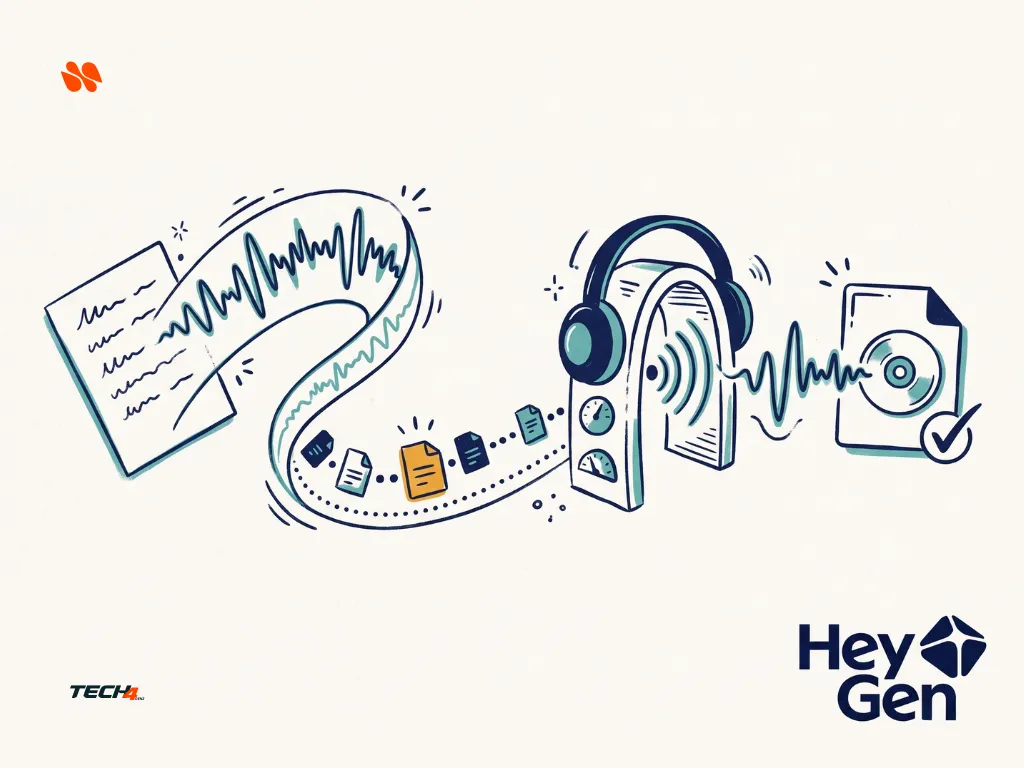
The free model heygen-voice-1-turbo-free is free until 30 November 2026. From 1 December 2026 it returns a 410 error, so use the paid HeyGen Voice Turbo instead.
5 HeyGen Voice Turbo Free API Limits to Check
HeyGen Voice Turbo offers a temporary way to generate speech through its API without paying for the free model. But a free request does not automatically mean a reliable recording, correct pronunciation, or permission to use the finished audio in client work.
Imagine preparing a short product explainer for a Friday deadline. The API request may cost nothing under the promotional offer, but you still need time to handle rejected requests, listen to the narration, correct mistakes, and arrange an approved backup.
Before building a workflow around HeyGen Voice Turbo, check five things: the exact model identifier, shared capacity, supported voices, speech accuracy, and usage rights.
Evidence note: This is a documentation-based guide checked on November 5, 2026. Tech4GenZ has not performed hands-on API tests or generated the sample audio described in the original draft. Any examples below are illustrative, not reported test results.
In this article
- Key Takeaways
- Is HeyGen Voice Turbo Free?
- 1. Check Which HeyGen Voice Turbo Model Your API Request Uses
- 2. Treat HeyGen Voice Turbo Free as Shared Capacity
- 3. Check HeyGen Voice Turbo Free Voice Eligibility and Text Limits
- 4. Check Pronunciation and Audio Quality Before Using the Recording
- 5. Confirm HeyGen Voice Turbo Usage Rights Before Delivery
- Build a Narration Handoff Around the Complete Deliverable
- Tech4GenZ Verdict: Evaluate the Whole Workflow, Not Just the Free Label
Key Takeaways
- Use the exact free model identifier.
heygen-voice-1-turbo-freeis different from the paid Turbo and standard voice models. - Free access does not guarantee availability. Shared capacity can cause
429errors even when your own request rate is below its limit. - Check voice eligibility. The promotional free model supports public voices and eligible instant voice clones, not professional voice clones.
- Review the actual recording. Names, currencies, numbers, abbreviations, and codes need careful listening.
- Confirm usage rights before publishing. A zero-cost API request does not automatically establish permission for commercial or client work.
Is HeyGen Voice Turbo Free?
Yes. HeyGen announced that its promotional API model, heygen-voice-1-turbo-free, is free through November 30, 2026.
The offer is intended for experimentation and prototyping. HeyGen says the free model uses shared capacity and operates on a best-effort basis. It does not include an uptime or latency guarantee. When capacity is unavailable, requests can receive a 429 response.
According to HeyGen’s announcement, you do not need a credit card to use the free model. However, the promotional offer has an end date, so check the official documentation before planning a long-term workflow.
Read HeyGen’s Voice Turbo announcement for the offer details.
1. Check Which HeyGen Voice Turbo Model Your API Request Uses
HeyGen documents three related model identifiers. They are not interchangeable billing options.
| Model identifier | Voice support | Practical distinction |
|---|---|---|
heygen-voice-1-turbo-free |
Public voices and eligible instant clones | Promotional free model with shared capacity and no availability guarantee |
heygen-voice-1-turbo |
Public voices and eligible instant clones | Paid Turbo model; not covered by the free-model offer |
heygen-voice-1 |
Public, instant, and professional voices | Standard model, including support for professional voice clones |
The important detail is the exact model name in your outgoing request.
For the promotional offer, use:
{
  "model": "heygen-voice-1-turbo-free",
  "voice_id": "YOUR_ELIGIBLE_VOICE_ID",
  "text": "Your approved narration goes here."
}
Replace the example voice ID and text with values valid for your account.
Do not assume that selecting a voice labelled Turbo in a project automatically uses the free API model. Inspect the actual request configuration before sending it.
Does HeyGen automatically switch a free request to a paid model?
HeyGen’s announcement says the free model does not automatically switch to paid Turbo. A paid request requires an explicit model change.
That distinction matters when you build an integration. An automatic fallback to heygen-voice-1-turbo is a billing decision made by your own application, not a guaranteed feature of the free offer.
A sensible safeguard is to require approval before changing to a paid model. Keep API keys in secure server-side configuration rather than placing them in browser code, screenshots, public repositories, or shared prompts.
For exact model details, consult the HeyGen Voice model documentation.
2. Treat HeyGen Voice Turbo Free as Shared Capacity
The free model has two separate constraints: your account’s request limit and the availability of shared free capacity.
HeyGen’s speech documentation lists a default allowance of 30 requests per minute per workspace member for each endpoint, although an account may have a different limit.
However, staying below that request limit does not reserve capacity for you. HeyGen says requests can still receive 429 rate_limit_exceeded responses when the shared free capacity is full.
For a real production workflow, distinguish between two situations:
A rejected request: The service does not return the expected audio. You need to handle the error and decide whether another attempt is appropriate.
A successful but unsuitable recording: Audio is returned, but a name, amount, abbreviation, or other important detail needs correction. Retrying the same request without changing anything may not solve the underlying problem.
Both situations can affect a deadline, but they need different responses.
What should you do after a HeyGen 429 error?
Use a controlled retry process rather than sending requests repeatedly.
- Check the response for a
Retry-Afterheader. - Wait for the specified interval when it is present.
- If no interval is supplied, use progressively longer waits between attempts.
- Set a maximum retry count and an overall time limit for the job.
- Send unsuccessful requests to a review queue rather than retrying indefinitely.
For example, an application might allow three retries after the initial request. That is an illustrative application policy, not a HeyGen guarantee or a proven optimal setting.
Keep useful diagnostic information, such as the model identifier, request status, timestamp, and request ID when available. Do not include API keys or confidential script text in ordinary error logs.
What is a sensible fallback?
For a non-urgent prototype, the fallback may simply be to save the approved script and try again later.
For a time-sensitive narration job, you may need an already approved alternative, such as human narration or another licensed voice service.
However, do not assume that changing to paid Turbo guarantees availability or a service-level agreement. Confirm the pricing, terms, and expected service behavior separately before relying on that route.
Suggested application workflow based on documented error conditions. Retry limits and fallback choices are recommendations, not HeyGen service guarantees.
3. Check HeyGen Voice Turbo Free Voice Eligibility and Text Limits
The promotional free model supports public voices and eligible HeyGen Voice 1 instant clones. Professional voice clones require the standard heygen-voice-1 model.
This matters if you have already created a voice in your HeyGen account. Do not assume that every voice visible in your library is accepted by every speech endpoint.
Start by checking the voice’s type and status. For a simple prototype, an eligible public voice may be enough. If you need a personal voice, confirm that the clone is an instant voice supported by the selected model.
Does HeyGen Voice Turbo Free support professional voice clones?
No. HeyGen identifies professional voice clones as requiring the standard heygen-voice-1 model.
An instant voice and a professional voice clone are different options. Instant cloning uses a shorter recording process, while professional cloning uses more recorded material to capture additional characteristics of a speaker’s voice.
Only use your own voice or a voice for which you have the necessary permission. Owning an audio recording does not automatically give you permission to clone the person speaking in it.
What is the text limit per request?
HeyGen’s speech documentation specifies a maximum of 5,000 characters per request.
Longer scripts therefore need to be divided into appropriate sections. When splitting narration, preserve sentence boundaries and check that the clips still sound natural when joined together.
Also remember that the model’s supported controls depend on the voice type.
For example, parameters such as seed, speed, pitch_shift, and pitch_variance are documented for professional voices. They should not be treated as reliable adjustment controls for instant voices, including Turbo.
If an instant voice reads too quickly for your video, changing an unsupported parameter is not a dependable fix. Consider shortening the script, adjusting the edit, or choosing a suitable supported workflow after reviewing the result.
Does en-US or en-GB guarantee a particular accent?
Do not assume that a regional language tag automatically changes the accent of a selected voice. A language setting and a voice’s actual pronunciation are separate considerations.
Choose a voice appropriate for your intended audience, then review the generated audio. Check names, places, dates, currency amounts, and abbreviations rather than relying only on the language setting.
See HeyGen’s speech API documentation for supported request fields and voice requirements.
4. Check Pronunciation and Audio Quality Before Using the Recording
A narration can sound natural while still reading an important number incorrectly.
This is especially relevant for product explainers, invoices, promotional videos, and educational content. The voice may deliver a smooth sentence but pronounce an unfamiliar brand name, abbreviation, or product code in an unexpected way.
Before using a generated recording, compare it with the approved script.
Check these details:
- Names of people, businesses, and products.
- Prices, decimal points, and currency symbols.
- Dates, times, and percentages.
- Abbreviations such as API, AI, and URL.
- Product codes, order numbers, and reference IDs.
- Place names and regional pronunciations.
- Pauses and sentence endings.
For example, imagine a fictional product explainer that says:
The Northlight Studio package costs $249.50 and includes three API integrations.
Listen carefully to the business name, price, and abbreviation. Do not assume that a smooth-sounding recording has read every detail correctly.
If you need to rewrite a number for clearer spoken delivery, keep the approved original script as well. Record the change so that the final narration can still be checked against the intended information.
Do not confuse a benchmark ranking with your recording’s accuracy
HeyGen’s promotional announcement refers to an Artificial Analysis leaderboard snapshot captured on October 20, 2026. That is a dated external evaluation, not proof that every generated recording will pronounce your own script correctly.
There is another important consideration: HeyGen’s current Terms of Service prohibit accessing its services for benchmarking, comparative, or competitive purposes.
Do not use the promotional API access to conduct an independent head-to-head model benchmark or publish comparative test results without first obtaining written permission from HeyGen.
For ordinary permitted production work, the practical requirement remains straightforward: listen to the actual recording and verify that it matches the approved script.
Review the actual narration against the approved script. This checklist is a quality-control aid, not a comparative model benchmark.
5. Confirm HeyGen Voice Turbo Usage Rights Before Delivery
A free API request and permission to publish the resulting audio are two different questions.
HeyGen’s Terms of Service, last updated October 16, 2026, contain a specific restriction for output generated by users on the Free Plan. That output is licensed for personal, non-commercial, and internal evaluation purposes. The Free Plan clause also restricts selling, redistributing, monetizing, and using that output for commercial activities or client work.
However, the promotional HeyGen Voice Turbo API model is described separately as a temporary free API offer. The public materials do not clearly explain whether every use of that promotional API model falls under the same Free Plan output licence or a separate API permission.
Do not infer commercial rights from the zero-dollar price.
Before using a generated recording in an advertisement, monetized video, client deliverable, or other commercial project, ask HeyGen to confirm in writing which agreement governs your API account and what uses are permitted.
Until that is clear, the cautious approach is to keep the output within an authorized internal evaluation or prototype workflow.
Questions to resolve before publishing generated audio
- Which agreement governs the API key and workspace?
- Does the promotional free API model permit public distribution?
- Is commercial use, client work, or monetized video permitted?
- Does the applicable licence allow the planned audience and distribution?
- If a voice clone is involved, has the speaker authorized the recording, cloning, and intended use?
- Does the intended use require disclosure that the audio was generated using AI?
The voice permissions matter regardless of whether a model is free or paid. HeyGen’s terms require the necessary rights and permissions before reproducing another person’s voice.
The terms also say users may need to disclose AI-generated content when required by applicable law. Do not present generated audio as entirely human-produced in a way that misleads its audience.
Build a Narration Handoff Around the Complete Deliverable
Generating a WAV file is only one part of a finished narration workflow.
Once you have confirmed the model, permissions, and intended use, organize the handoff around the complete job:
- Approve the final script and pronunciation of important terms.
- Select an eligible voice and explicitly choose the intended model.
- Submit the request using a controlled retry policy.
- Listen to the returned audio while checking it against the approved script.
- Correct any pronunciation, timing, or delivery issues.
- Confirm usage rights and retain the relevant approval or licence information.
- Save the approved audio with its final script and delivery notes.
If the narration is part of an AI-generated video, also inspect the visual elements. Our HeyGen Video: 5 Checks Before You Publish a Scene With Sound guide covers the planning side of AI video generation.
A useful final check is to compare the information in the narration with the information shown on screen. A correct voiceover paired with a graphic displaying the wrong price or date is still an incorrect final deliverable.
See also: Ollama Phonon on Mac: Read AI Replies Aloud
Frequently Asked Questions
Is HeyGen Voice Turbo free?
Yes. HeyGen’s promotional API model, heygen-voice-1-turbo-free, is free through November 30, 2026, and you do not need a credit card to use it. The offer is intended for experimentation and prototyping, and the free model uses shared capacity with no uptime or latency guarantee.
Does a free request switch automatically to a paid model?
No. HeyGen’s announcement says the free model does not automatically switch to paid Turbo. A paid request requires an explicit model change.
Does the free model support professional voice clones?
No. The promotional free model supports public voices and eligible HeyGen Voice 1 instant clones. Professional voice clones require the standard heygen-voice-1 model.
What is the text limit for each request?
HeyGen’s speech documentation specifies a maximum of 5,000 characters per request. Longer scripts need to be divided into appropriate sections.
Can I publish audio made with a free request?
Not automatically. A zero-cost API request does not establish permission for commercial or client work, so confirm the usage rights and the applicable licence before publishing.
Tech4GenZ Verdict: Evaluate the Whole Workflow, Not Just the Free Label
HeyGen Voice Turbo Free is worth considering for an authorized prototype that can tolerate shared capacity, retries, and manual audio inspection.
Its exact model identifier, supported voice types, request limits, and usage rights matter more than the headline that says the API is free.
Best fit to evaluate: Low-risk internal prototypes with approved scripts, eligible public or instant voices, time for retries, and clearly understood usage permissions.
Use more caution with: Deadline-critical client narration, professional voice clones, confidential scripts, and commercial projects where the promotional API licence has not been clarified.
Before relying on HeyGen Voice Turbo, confirm your model selection, define what a successful recording must say, and arrange an approved fallback. A free generation request is useful, but the finished audio still needs to be accurate, permitted, and ready for its intended audience.



[…] is also a different task from choosing a hosted narration API. If that is your actual goal, the Tech4GenZ HeyGen Voice Turbo guide covers that separate workflow’s model-selection, capacity, and permission checks. It is related […]
[…] your narration is generated elsewhere, add that route’s spending and review time too. Our HeyGen Voice Turbo guide separates a free API request from dependable, permission-cleared narration. It is a separate tool evaluation, not a claim that the free route is commercially cleared for this […]