

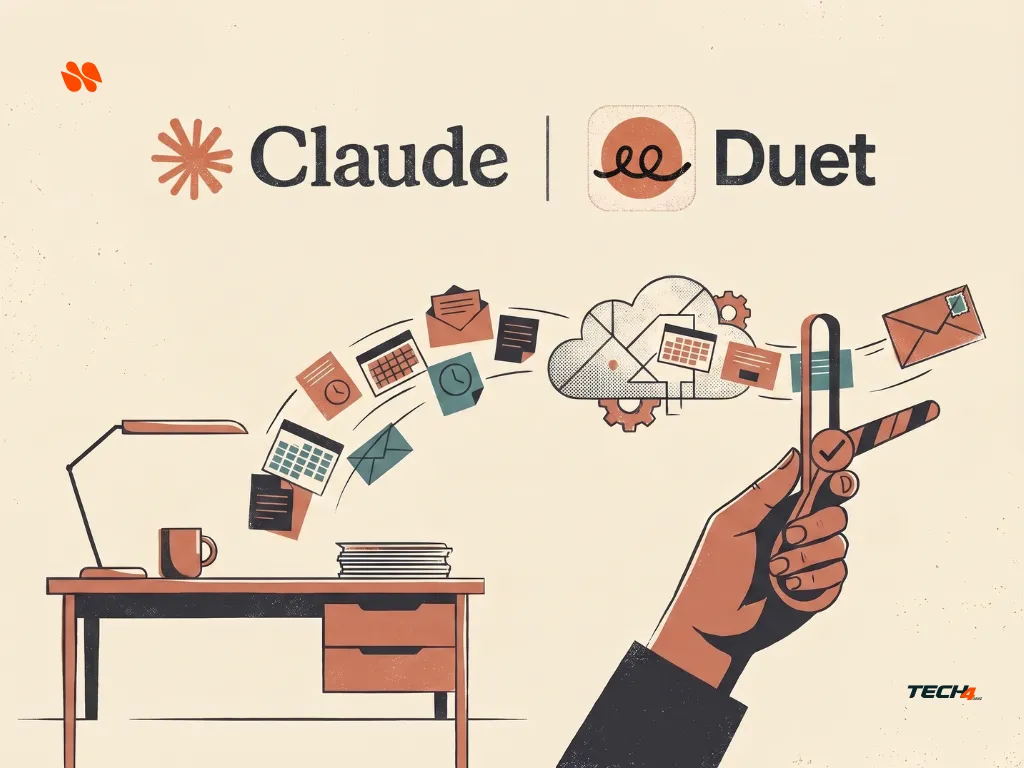
Claude Duet is designed to handle background work, prepare information from connected apps, and contact you when something needs your attention. That sounds useful if you regularly manage emails, meetings, invoices, and other business tasks. However, joining the waitlist is not the only decision worth thinking about.
Before signing up, you should understand who can access Claude Duet, how its usage limits work, what information it can read, and which actions still require your approval.
Anthropic currently offers Claude Duet as a US-only research preview for eligible Pro, Max and Ultra subscribers who receive a waitlist invitation. Joining the waitlist does not guarantee immediate access. As of 12 November 2026, Anthropic has invited every US Pro, Max and Ultra subscriber who was on the waitlist. Team and Enterprise plans are not currently included in the preview.
This guide explains five practical things to check before joining.
Evidence note: This is a documentation-based explainer checked on November 5, 2026. It is not a hands-on review of Claude Duet. The task examples below are illustrative scenarios, not reported test results.
In this article
- Key Takeaways
- 1. Check Claude Duet Eligibility Before Joining the Waitlist
- 2. Understand Claude Duet’s Shared Usage Limits
- 3. Review Claude Duet’s Connected Apps, Memory, and Privacy Controls
- 4. Understand What Claude Duet Can Do Without Your Approval
- 5. Check Whether Claude Duet Fits Your Daily Workflow
- Tech4GenZ Verdict: Consider a Controlled Trial, Not Guaranteed Autonomy
Key Takeaways
- Check eligibility first. Claude Duet’s current research preview is limited to eligible US Pro, Max and Ultra subscribers who receive an invitation.
- Included does not mean unlimited. Background checks and other Duet tasks use the same Claude plan limits as your regular work.
- Review connected apps before starting. Claude Duet can use existing Claude connectors, memory, and skills.
- Separate preparation from execution. Reading information, drafting a reply, and sending it are different stages with different approval requirements.
- Keep an independent routine for urgent work. Claude Duet checks connected accounts at intervals, so it should not be your only alerting system.
1. Check Claude Duet Eligibility Before Joining the Waitlist
Anthropic announced the Claude Duet research preview on October 21, 2026. It describes a proactive assistant that can work in the background, use connected apps, prepare tasks, and notify you when something needs attention.
Claude Duet is available through its own iOS and Android apps and on the web at claude.ai. However, having an ordinary Claude account does not automatically give you access to Duet.
Who can use Claude Duet?
According to Anthropic’s current Claude Duet access requirements, the research preview currently requires:
- A Claude Pro, Max or Ultra subscription.
- A Claude account in the United States.
- An invitation after joining the waitlist.
Team and Enterprise plans are not currently included in the preview. Anthropic says access is being introduced in waves, so there is no guaranteed invitation date.
This matters particularly if you live outside the United States. UK readers and people in other regions should not purchase a subscription specifically to access the current preview. A paid plan does not override the regional restriction.
How to join the Claude Duet waitlist
Anthropic documents the following process:
- Open the official Claude Duet product page.
- Select Join the waitlist.
- Enter your name and email address. If you already use Claude, use the email address connected to your Claude account.
- Select your Claude plan and phone type, either iPhone or Android.
- Add optional information about your work and the tasks you might hand over to Duet.
- Submit the form and wait for an invitation email.
- When invited, open the email on your phone and follow the setup instructions.
Pay attention to the email addresses you use. Anthropic says access is tied to the email supplied during the waitlist process. The Apple or Google account used on your phone should also match the invited email.
These are documentation-based instructions, not a walkthrough performed on a Tech4GenZ account. If the form or setup process changes, follow Anthropic’s latest instructions.
Before spending anything: Confirm your region, subscription plan, and invitation status. Joining the waitlist is not a promise of immediate access.
2. Understand Claude Duet’s Shared Usage Limits
Claude Duet is included in eligible Pro, Max and Ultra subscriptions during the research preview at no additional product charge. However, that does not mean you receive a separate unlimited allowance for background work.
Anthropic says Claude Duet shares your regular Claude usage limits, including the five-hour session and weekly limits. Its background activity also counts toward those limits.
That activity can include:
- Morning briefs.
- Checks of connected email and calendar accounts.
- Background tasks.
- Preparing information and responses.
- Larger jobs that require additional model turns.
Imagine a freelancer who already uses Claude for writing and research. The same subscription allowance may now need to cover regular chats, background email checks, and a larger client-research task.
This is an illustrative example, not a measured estimate of how quickly any particular plan will reach its limit.
Does background work consume Claude usage?
Yes. Anthropic says background checks count toward your plan’s usage limits. It checks connected accounts at set intervals rather than continuously, partly to prevent background activity from consuming the allowance too quickly.
Larger tasks, such as building a financial model or presentation, may require more model turns and background work than a simple administrative request.
The practical point is to avoid assuming that a subscription guarantees a fixed number of completed tasks, daily briefs, or automated checks. Actual usage depends on the work you assign and how much processing it requires.
Is there a temporary Claude Duet usage reset?
Anthropic’s current Help Center says users admitted to the research preview receive limit resets that refill their five-hour session and weekly usage limits: three on Pro, and one on Max and Ultra.
Unused resets expire on December 15, 2026. It is a temporary preview benefit, not a permanent second allowance or a promise of unlimited use.
Check the official Claude Duet usage guidance before relying on this offer. The availability and terms may change during the research preview.
A practical first step: After receiving an invitation, try one small, low-risk task and check your usage indicators. Then decide whether recurring background work fits alongside the Claude tasks you already perform.
3. Review Claude Duet’s Connected Apps, Memory, and Privacy Controls
Claude Duet uses your existing Claude account context. That means your connected apps, skills, and memory can be available from the beginning.
For example, Anthropic lists connectors such as Gmail, Google Calendar, Google Drive, Slack, QuickBooks, HubSpot, DocuSign, and Calendly. The available services and their capabilities can differ.
Disconnecting an app stops new access, but previously learned information may remain in Claude Duet’s memory until you reset it.
Before connecting more services, ask three questions:
What can Claude Duet access?
Review the apps already connected to your Claude account. You may have enabled a connector for an earlier task and forgotten that it remains available.
Are you allowed to share this information?
Check workplace and client policies before connecting confidential emails, financial records, or private business information.
What happens if you disconnect an app?
This is an important distinction. According to Anthropic’s safety and privacy explanation, disconnecting an app stops new access, but information Claude Duet already learned can remain in its memory until you reset that memory.
Switching a connected app off in Claude or Claude Duet also switches it off in the other.
Can Claude Duet search previous Claude chats?
Yes. Anthropic’s current documentation says Claude Duet can search its own conversations and eligible Claude chats outside projects to retrieve earlier context.
This uses the same Search and reference chats setting as regular Claude.
To stop Claude Duet from searching previous conversations:
- Open Claude settings.
- Go to Your Claude or the older Memory settings area.
- Find Search and reference chats.
- Switch the setting off.
This is separate from disconnecting an app or resetting Duet’s memory. Each control serves a different purpose.
See Anthropic’s chat search and memory guidance for further details.
What about sensitive information and credentials?
Anthropic says Claude Duet uses safeguards designed to reduce the risk of sharing sensitive information.
Its published privacy explanation distinguishes between information it should never share, such as passwords, full payment-card and bank-account numbers, and government identification numbers, and other private information that requires explicit permission to share.
For example, health or financial information may be shared when you explicitly request it. However, Anthropic also acknowledges that these safeguards can occasionally miss something or flag harmless content.
This is why you should not treat the research preview as a reason to connect every account you own.
Start with a narrow set of services and information you are permitted to share. Review the official Claude Duet safety, privacy, and security explanation before connecting sensitive business accounts.
4. Understand What Claude Duet Can Do Without Your Approval
One of the most important Claude Duet distinctions is the difference between preparing work and taking action.
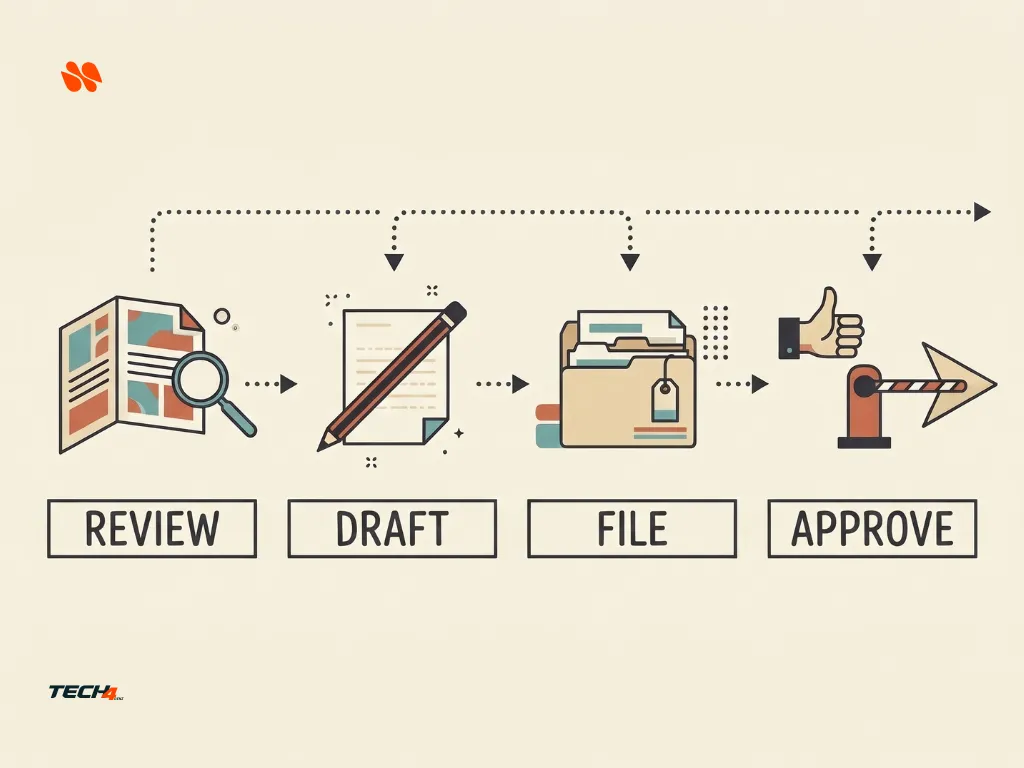
Anthropic describes Duet as an assistant that can read information, draft content, and prepare work independently. Before consequential actions such as sending a message, making a payment, signing a document, or deleting something, it is designed to show you what it plans to do and request approval.
The following matrix translates those documented boundaries into practical examples. It is an editorial planning framework, not a tested permissions menu. Individual integrations may support different capabilities.
| Stage | Example task | What you should check |
|---|---|---|
| Read | Find an unpaid invoice in a connected Stripe account | Confirm the correct account, invoice, customer, and amount |
| Draft | Prepare an invoice reminder | Review the recipient, wording, amount, and payment instructions |
| Prepare | Assemble a meeting brief or campaign draft | Check the sources and inspect the finished material |
| Execute after approval | Send an invoice reminder | Review the final message and recipient before approving |
| Execute after approval | Purchase an approved business item | Check the exact product, seller, and amount in the payment approval |
| Execute after approval | Sign a document or delete something | Confirm the exact document or deletion target |
Claude Duet approval workflow
Claude Duet can prepare work in the background, but consequential actions require additional review and approval.
Some actions remain off-limits
Anthropic says certain activities are prohibited even when you approve them. Examples include:
- Trading securities.
- Moving money between bank accounts.
- Accessing another person’s account.
There is another important detail in Anthropic’s safety documentation: some actions are not covered by a “don’t ask me again” rule, regardless of how often you have approved similar actions.
These include paying or sending money, deleting an order, and creating an account. Therefore, do not assume that approving one action automatically authorizes every future operation of the same type.
What should you check before approving an action?
For a message, inspect every recipient, the sending account, the full wording, and any attachments. A short summary is not enough if the actual message contains private or incorrect information.
For a purchase, check the exact item, merchant, price, and conditions. Claude Duet supports payment options such as Link by Stripe and Shop Pay, but each has its own approval process and availability requirements.
For example, Link payments require approval in the Link app. Anthropic says each purchase uses a one-time card scoped to that purchase.
The important rule is simple: review the actual action, not just Claude Duet’s description of it.
See also: 5 Claude Auto Mode Checks Before You Let a Task Run
5. Check Whether Claude Duet Fits Your Daily Workflow
Claude Duet is designed to reduce repetitive administrative work, but its research-preview limitations matter when deciding whether to depend on it.
Anthropic currently documents several restrictions:
- Scheduled checks are not continuous. Claude Duet checks connected accounts at set intervals, so urgent information may arrive between checks.
- It can make mistakes. It may misread an email thread or misjudge whether something needs your attention.
- You cannot watch its browser work or take control of the browser. The agent uses its own cloud computer.
- You cannot choose the model yourself. The research preview uses Claude Opus 5.5 and determines the effort needed for a task.
- It cannot access everything on your computer. It cannot see all your projects or local files.
- It cannot edit your existing Claude work. It can read your work in Claude but cannot change it.
- It does not make phone calls or send text messages to other people. It can send approved emails through connected accounts.
- Some connectors have limitations. Slack support is limited, and Microsoft 365 is not currently available.
These restrictions are especially important if you manage customer requests, deadlines, financial work, or urgent business communications.
A morning briefing can be useful, but it is not the same as a real-time monitoring system.
Keep an independent routine for urgent tasks and do not rely on an interval-based assistant as your only source of alerts.
Try a low-risk Claude Duet workflow first
After receiving an invitation, begin with a task that does not require sensitive information or an external action.
Use this simple evaluation process:
- Give Claude Duet a harmless task based on material you are allowed to share.
- Ask it to prepare a short summary or briefing.
- Compare the summary with the original information.
- Ask it to draft a response, but do not send it immediately.
- Review the approval request and check the final wording.
- Check your usage indicators and note how much correction the task required.
This is a suggested evaluation process, not a test performed by Tech4GenZ.
If the first task needs extensive correction, narrow the task before connecting additional services or scheduling recurring work.
See also: Why GPT-6.1 Terra Is Missing From Your ChatGPT Model List
Frequently Asked Questions
Who can use Claude Duet?
Claude Duet’s research preview currently requires a Claude Pro, Max or Ultra subscription, a Claude account in the United States, and an invitation after joining the waitlist. Team and Enterprise plans are not currently included.
Does Claude Duet share my regular Claude usage limits?
Yes. Claude Duet shares your regular Claude usage limits, including the five-hour session limit. Background checks count toward your plan’s usage limits.
Can Claude Duet take actions without my approval?
It can read information, draft content and prepare work in the background. Consequential actions, such as sending a message, purchasing, signing a document or deleting something, require your review and approval. Some actions, including trading securities, moving money and accessing another person’s account, remain off-limits even with approval.
Is there a temporary Claude Duet usage reset?
Yes. Users admitted to the research preview receive limit resets: three on Pro, and one on Max and Ultra. Unused resets expire on December 15, 2026. It is a temporary preview benefit, not a permanent second allowance or a promise of unlimited use.
Tech4GenZ Verdict: Consider a Controlled Trial, Not Guaranteed Autonomy
Claude Duet is worth evaluating for eligible US Pro, Max and Ultra subscribers who want help preparing background work across connected apps. Its ability to assemble information, draft responses, and bring important tasks to your attention could be useful for professionals and small business owners.
However, the research preview is not a replacement for checking urgent work, reviewing business decisions, or controlling access to sensitive information.
Before joining the Claude Duet waitlist, confirm your eligibility and review your existing app connections. After receiving an invitation, start with one limited workflow and inspect every meaningful action before approving it.
Best fit to evaluate: Routine administrative preparation, email summaries, meeting briefs, and drafts that you can review before use.
Use more caution with: Urgent alerts, confidential client information, financial decisions, and workflows that depend on unsupported integrations.
The goal should be less administrative work without losing control of what Claude Duet can access or do on your behalf.




[…] if an assistant prepares scripts or supporting material in the background, our Claude Duet control matrix separates preparation from approved execution. Apply that same separation to changing billing routes or distributing the final […]
[…] a familiar comparison, our Claude Duet control matrix separates background preparation from approved execution. That is a decision-making analogy, not a claim that Claude Duet and Replit have identical […]
[…] our Claude Duet task-control matrix separates reading and preparation from approved execution. For software releases, the Replit […]
[…] you are researching Claude Duet instead, use our Claude Duet waitlist and access checklist. That article answers a different question: preview eligibility and background-assistant […]