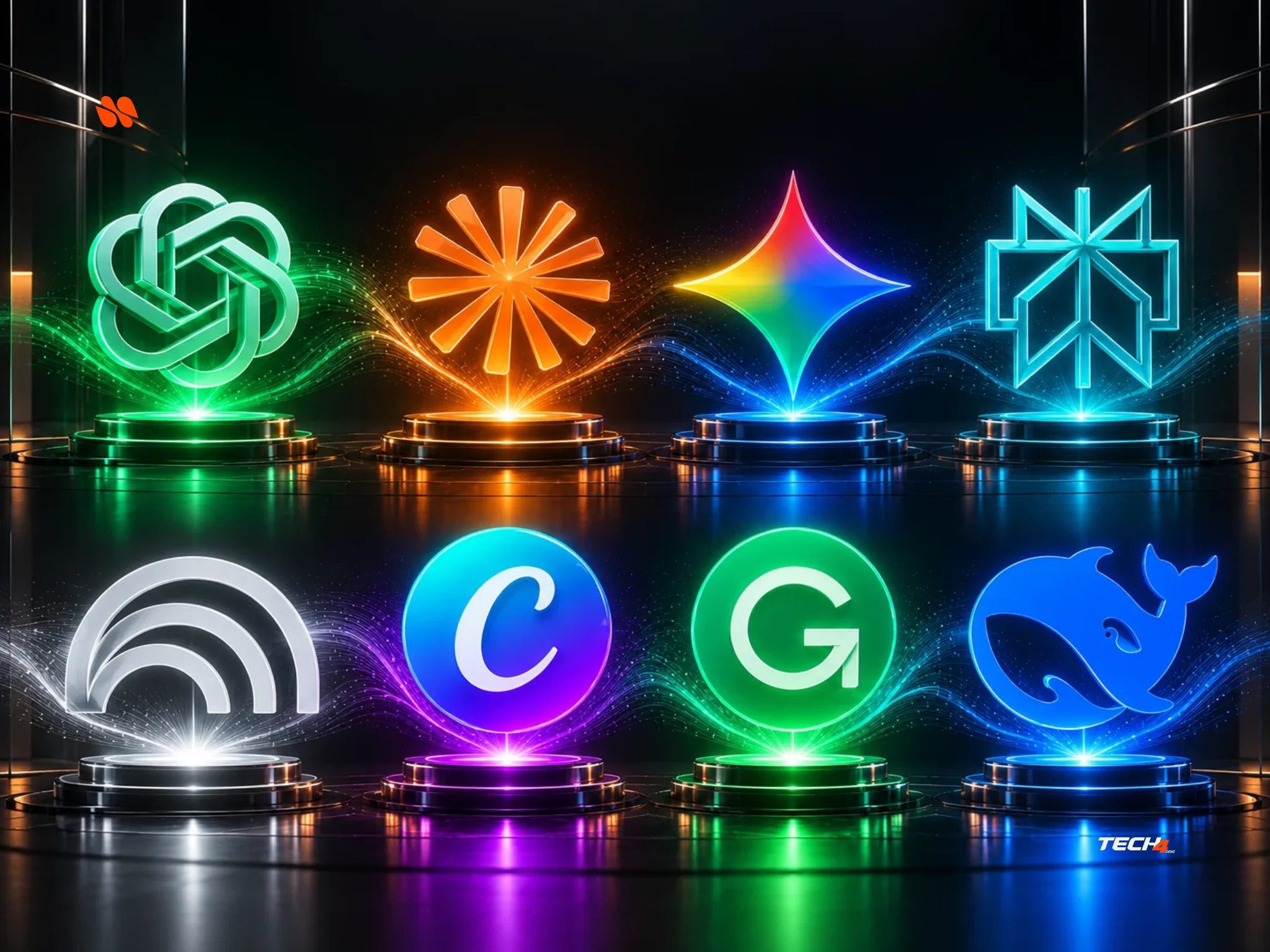
The best free AI tools in 2026 are ChatGPT, Claude, Gemini and Perplexity, and the right one depends on the job. ChatGPT Free is the best all rounder. Everyday text chats are unlimited, and almost every tool is included in some form. Claude Free is the best free AI tool for writing and long documents. Its model follows long instructions better, and it keeps a far larger context. Gemini Free is the best free AI tool for Google users. Deep Research, image generation and Gemini Live are all on the free plan. Perplexity Free is the best free AI tool for research with sources. Every answer carries citations you can check.
That split is the whole point of this guide. A list that ranks one tool first for everyone is wrong, because the free plans are not the same product. One limits the model, another limits the number of searches, another limits uploads and images. So the honest way to pick is to match the limit to your work. If you write long essays, Claude’s limit matters less than its quality. For fact checking all day, Perplexity’s 3 Pro Searches a day matters more than anything else. For Gmail and Docs users, Gemini’s free tools matter more than a slightly better chat model elsewhere.
Evidence note: free tiers below were checked against vendor pricing pages and November 2026 pricing guides. The checks were done on 20 November 2026, including a comparison checked on 18 November 2026. Free limits change often, and model names change with them. Confirm a limit on the provider page before you build a workflow on it. Prices are US list prices. Nothing in this article is sponsored, and no tool paid for a place on this list.
In this article
- Key Takeaways
- 1. The short answer: the best free AI tool for each job
- 2. ChatGPT Free: the best free AI tool overall
- 3. Claude Free: the best free AI tool for writing
- 4. Gemini Free: the best free AI tool for Google users
- 5. Perplexity Free: the best free AI tool for research with sources
- 6. The best free AI tools beyond chatbots
- 7. What free really costs: limits, ads and your data
- 8. Pick by your job, not by the leaderboard
- Frequently Asked Questions
- Tech4GenZ Verdict: Best Free AI Tools
Key Takeaways
- ChatGPT Free is the best free AI tool overall, with unlimited everyday text chats, web search, file uploads capped at 3 files a day, and a 500 MB Library.
- Claude Free is the best free AI tool for writing and long documents, with Sonnet and Haiku models, web search, file creation and up to 5 Projects, under a limit that resets every 5 hours.
- Gemini Free is the best free AI tool for Google users, with Deep Research, image generation and editing, Gemini Live and Canvas on the free plan, under a compute based limit that refreshes every 5 hours up to a weekly cap.
- Perplexity Free is the best free AI tool for research with sources, with practically unlimited basic searches, 3 Pro Searches a day and 1 Research query a month.
- Canva Free gives 20 AI uses a month, Grammarly Free gives 100 AI prompts a month, and Gemini Notebook Free holds up to 100 notebooks with 50 sources each.
- Free is not unlimited anywhere. Every plan caps something, so check the cap that matches your daily work before you choose.
1. The short answer: the best free AI tool for each job
Start with the job, because that decides the answer in one step. For everyday questions, drafts, images and web search, pick ChatGPT Free. Long documents, essays or code with a detailed brief? Pick Claude Free. If your work lives in Google Docs, Gmail and Drive, pick Gemini Free. Need answers you can trust and cite? Pick Perplexity Free. For study notes from your own files, add Gemini Notebook Free. For quick designs, add Canva Free.
The reason is simple. Each free plan is generous in one place and tight in another. ChatGPT Free is generous with chat and tight with uploads, images and voice. Claude Free is generous with model quality and tight with total usage. Gemini Free is generous with features and tight with the model itself, since most free prompts run on its lightest model. Perplexity Free is generous with basic searches and tight with Pro Searches. So the best free AI tool is the one whose tight spot you rarely hit.
One more point before the details. Free plans change fast. In August 2026 OpenAI made everyday text chats on the free plan unlimited. In October 2026 Google moved most free Gemini prompts to its lightest model. A guide written in June would give you the wrong limits today. That is why every limit below carries a check date. Confirm it on the provider page before you rely on it.
2. ChatGPT Free: the best free AI tool overall
ChatGPT Free is the best free AI tool for most people, because it does the most things without asking for a card. You get everyday text chats with no fixed message quota. You also get web search, file uploads, data analysis, image creation, voice mode, and the use of GPTs other people built. That breadth is why it is the default first tool, even when another tool is better at one single job.
What ChatGPT Free includes
OpenAI’s free tier FAQ, updated on 2 November 2026, lists web search, data analysis, image and file uploads, the use of existing GPTs, image creation and a Library with 500 MB of storage as part of the free plan. Everyday text chats are unlimited, subject to abuse prevention safeguards. That is a real change from the old free plan, which gave a small number of flagship model messages every few hours before falling back to a smaller model. A comparison checked on 18 November 2026 confirms the same position: ChatGPT Free gives unlimited everyday text chats on GPT-5.6 Luna, outside the optional Ads-Free experience, according to a free plan comparison checked in November 2026.
Where ChatGPT Free stops
The limits now sit on the tools instead of the chat. File uploads are capped at 3 files a day. Image creation, voice, data analysis and deep research each have their own separate cap. ChatGPT tells you when you hit one, but OpenAI does not publish the exact number for image generation. The free plan also has the smallest context window of any ChatGPT plan, at about 27,000 tokens, so it loses track of long documents sooner than Claude Free does. You cannot create your own custom GPTs or use Projects on the free plan, and the top models stay paid only.
When to pay
ChatGPT Go costs 8 dollars a month and raises the free limits while keeping the same lightest model and the ads. ChatGPT Plus costs 20 dollars a month and unlocks the stronger model, deep research, agent mode and custom GPTs, which is the biggest jump among the best free AI tools. Pay when you hit a tool cap every day, not when you hit a chat cap, because chat is already unlimited. If you only chat and search, free is enough. We compared all three chatbots in full in our ChatGPT vs Claude vs Gemini guide.
3. Claude Free: the best free AI tool for writing
Claude Free is the best free AI tool for writing, because the model on the free plan is the strongest free tier model for following complex, multi step instructions. If you have ever given another chatbot a detailed brief and received a simplified version back, Claude is worth testing. It is also the best free pick for long documents, because its context window reaches up to 1 million tokens depending on the model, against about 27,000 tokens on ChatGPT Free and 32,000 tokens on Gemini Free.
What Claude Free includes
The free plan runs Sonnet and Haiku models, with web search, file uploads, file creation, code execution, memory across conversations, connectors to your apps, Artifacts, and up to 5 Projects. Voice mode is included, and you can try Claude Design, Slides and Docs. There are no ads on Claude, and Anthropic has committed to keeping it ad free. That matters if you work in long sessions and do not want sponsored content in your answers.
Where Claude Free stops
Claude Free has no fixed message count. Anthropic describes a session based usage limit that resets every 5 hours, plus a weekly limit on top, and long chats and big files use the allowance faster. The exact count varies with demand and conversation length, so you cannot plan around a number. Opus models, Claude Code and the Research feature are reserved for paid plans, like the top tiers of the other best free AI tools. The free plan was also excluded from the usage limit increases in May 2026, so paid users got more room while free users did not.
When to pay
Claude Pro costs 20 dollars a month, or 17 dollars a month billed annually, and gives at least 5 times more usage per 5 hour session than Free, plus Claude Code. Pay when you hit the 5 hour limit in the middle of real work more than twice a week. If you write in short bursts, free is enough, and the quality gap over the other free plans is the reason to start here for writing. For student work, see our best AI tools for students guide.
4. Gemini Free: the best free AI tool for Google users
Gemini Free is the best free AI tool if you live in Google apps, because it packs the broadest feature set into the free plan. You get image generation and editing, Deep Research, Gemini Live voice chats, Canvas and custom Gems, plus Gemini Notebook for research and 15 GB of Google storage. No other free plan gives you that many tools at zero cost.
What Gemini Free includes
Google’s free Gemini plan uses its Flash-Lite model and still packs a lot in, including image generation and editing, Deep Research, Gemini Live voice chats, Canvas and custom Gems, according to a free chatbot comparison checked in October 2026. Deep Research is the standout. It reads many sources and returns a structured report, and on the free plan you get 5 Deep Research reports a month. Image generation uses Nano Banana 2, and Audio Overviews turn documents into spoken summaries.
Where Gemini Free stops
The catch is the model. Since 9 October 2026, the free plan answers most prompts with Flash-Lite, the lightest model, and the context window is 32,000 tokens. Usage is compute based rather than a fixed prompt count: your allowance refreshes every 5 hours until you reach a weekly limit, and harder prompts use more of it. Video generation needs a paid plan, and Gemini inside Gmail and Docs is not part of the free plan. That last point matters, because our earlier Gmail AI test found Gemini in Gmail needs a paid Google One AI plan, not the free Gemini app.
When to pay
Google AI Plus costs 4.99 dollars a month for twice the usage, and Google AI Pro costs 19.99 dollars a month for four times the usage. Pay when Deep Research or image generation becomes daily work, or when the Flash-Lite model gives you shallow answers on hard questions. That is the usual trigger across the best free AI tools. If you only need quick answers inside Google apps, free is enough.
5. Perplexity Free: the best free AI tool for research with sources
Perplexity Free is the best free AI tool for research, because sources are the product. Every answer carries citations you can click and check, even on the free plan. That single feature makes it the right first tool when the answer has to be true, not just plausible. A chatbot that writes smoothly can still invent a fact. Perplexity shows you where each fact came from, so you can verify it in one click.
What Perplexity Free includes
The free plan offers practically unlimited basic searches, with links to sources on every answer, plus search history. Basic searches use a model Perplexity picks for you, and they are enough for most everyday questions, news checks and background reading. For a student checking a claim before citing it, or a reader checking a price before buying, that is the whole job.
Where Perplexity Free stops
Pro Searches are capped at 3 a day, and you get 1 Research query a month. Pro Searches use multi step reasoning and the stronger models, so they are the ones you want for a hard question with many sources. The free plan also locks you to a single default model, with no image generation and no advanced models. A November 2026 pricing check puts the same numbers at 3 Pro Searches a day and 1 Research query a month, according to a free tools comparison updated 1 November 2026.
When to pay
Perplexity Pro costs 20 dollars a month, or 17 dollars a month billed annually, and verified students can get Education Pro for about 10 dollars a month. Pay when 3 Pro Searches a day runs out before your work does. If you only need basic searches with citations, free is enough, and it is the cheapest honest research tool among the best free AI tools.
6. The best free AI tools beyond chatbots
Chatbots are only half the list. Four more free tools cover study, design, writing and video, and each one is free in a way that is easy to test in an afternoon.
Gemini Notebook Free: best free AI tool for study
Gemini Notebook, formerly NotebookLM, is the best free AI tool for studying from your own files. You upload lecture notes, PDFs or articles, and it answers only from those sources, with citations back to the page. The free Standard plan holds up to 100 notebooks with 50 sources per notebook. That limit is generous for a student, because one notebook per subject is usually enough for a whole term. Audio Overviews turn a notebook into a spoken summary, which helps when you revise on the move.
Canva Free: best free AI tool for design
Canva Free gives 20 AI uses a month, which covers quick social posts, thumbnails and slides, but not daily design work. The free plan includes templates, stock photos and basic editing, and the AI tools inside it write, resize and remove backgrounds. If you design every day, 20 uses run out in the first week, and that is the moment to pay or to switch the heavy work to another tool. For video, see our best AI video generator guide, where the free tiers are watermarked and not for commercial use.
Grammarly Free: best free AI tool for fixing writing
Grammarly Free includes 100 AI prompts a month, which is enough to polish a few essays or emails a week. It catches grammar, tone and clarity problems inside the document you already wrote, which is a different job from drafting with a chatbot. Use it after Claude or ChatGPT has drafted, not instead of them.
DeepSeek Free: best free AI tool with no upsell
DeepSeek is the surprise entry on this list. It offers frontier class models at no cost, with no stated usage limits beyond an anti bot threshold, and no paid chat plan to push you toward. It is the best free pick for coding and deep reasoning when you do not want a subscription at all. The trade off is trust and support: it is a newer lab with fewer integrations than the big three, so check its privacy terms before you paste sensitive work into it.
7. What free really costs: limits, ads and your data
The best free AI tools are paid for in two ways, and neither one shows on a price page. The first is limits. ChatGPT, Claude and Gemini meter free use in rolling 5 hour windows, while Perplexity, Canva and Grammarly use daily or monthly counts. The second is data and ads. ChatGPT Free may show ads in some markets, and its chats are used to train models unless you opt out. Gemini Free chats are used for training when Keep Activity is on. Claude Free chats are used only if you allow it, or if an account is flagged for safety review. Those defaults matter, so check them before you paste private work into any free tool.
A practical rule follows from that. Never paste passwords, private client work, medical details or anything you would not want reviewed into any of the best free AI tools. Use the free plan for learning, drafting and public research, and keep sensitive work in a paid plan with the privacy terms you have read, or out of AI tools entirely. Free is a trial of the tool, not a private workspace.
The other hidden cost is time. A free plan that caps you at 3 Pro Searches a day will cost you an afternoon when the fourth question is the important one. So test the cap on a normal workday, not on a quiet Sunday. Open the tool, do your real work, and note the hour you hit the limit. That hour is the true price of free for you.
8. Pick by your job, not by the leaderboard
Use this decision list for the best free AI tools, in order. First, ask what the work is. If it is everyday questions and a bit of everything, pick ChatGPT Free. Second, ask how long the document is. If it is long and the brief is detailed, pick Claude Free. Third, ask where your files live. If they live in Google, pick Gemini Free and add Gemini Notebook Free. Fourth, ask whether the answer must be cited. If it must, pick Perplexity Free, whatever else you use.
Then check the practical limits of the best free AI tools. Daily file uploads? ChatGPT Free stops at 3 a day, so Claude or Gemini fits better. If you need more than 3 Pro Searches a day, Perplexity Free stops, so pay for Pro or move the hard questions to Gemini Deep Research. For daily design work, Canva Free stops at 20 AI uses a month, so budget for that. Finally, if you need video, none of the free chatbot plans makes video, so use the free tiers in our video generator guide and expect watermarks.
The cheapest stack of best free AI tools for a student is ChatGPT Free for everyday work, Claude Free for writing, Perplexity Free for cited research, and Gemini Notebook Free for revision from lecture notes. That stack costs zero dollars, and each tool covers the job the others do badly. Start there, pay only for the one you hit the limit on first, and recheck the free limits every few months, because they change.
Frequently Asked Questions
What is the best free AI tool overall?
ChatGPT Free is the best free AI tool overall, because everyday text chats are unlimited and it includes web search, file uploads, image creation and voice in one place. The limits sit on uploads, images and voice, not on chat.
Is ChatGPT really free?
Yes, ChatGPT Free costs zero dollars, with unlimited everyday text chats, web search and limited image creation, file uploads and voice. Among the best free AI tools, it is the strongest all rounder for everyday questions. The paid plans start at Go for 8 dollars a month and Plus for 20 dollars a month, and they raise the tool limits and unlock stronger models.
Which free AI tool is best for students?
Perplexity Free is best for cited research, Claude Free is best for writing essays, Gemini Notebook Free is best for revising from lecture notes, and ChatGPT Free is best for everyday questions. Most students need two of the four, not one.
Limits and privacy for the best free AI tools
Which free AI tool has no limits?
None of them is unlimited. ChatGPT Free has unlimited text chats but caps uploads at 3 files a day. Claude Free and Gemini Free reset usage every 5 hours up to a weekly cap. Perplexity Free caps Pro Searches at 3 a day. DeepSeek is the closest to unlimited, with no stated limits beyond an anti bot threshold.
Do free AI tools use my chats to train their models?
It depends on the tool. ChatGPT Free chats are used to train models unless you opt out, and Gemini Free chats are used when Keep Activity is on. Claude Free chats are used only if you allow it, or if an account is flagged for safety review. Check the privacy setting in each tool before you paste private work into it.
Tech4GenZ Verdict: Best Free AI Tools
Best fit to evaluate: ChatGPT Free for everyday work, Claude Free for writing and long documents, Gemini Free for Google users and Deep Research, and Perplexity Free for research with citations. Together these best free AI tools cover almost every job a student or beginner needs, for zero dollars.
Use more caution with: any free plan as a permanent workflow. Free limits change without warning, models change with them, and the cap that fits today can block you next month. Test the limit on a real workday, confirm the price on the provider page before you pay, and pay only for the one tool whose limit you hit first.